AI助手客户端,chatbox
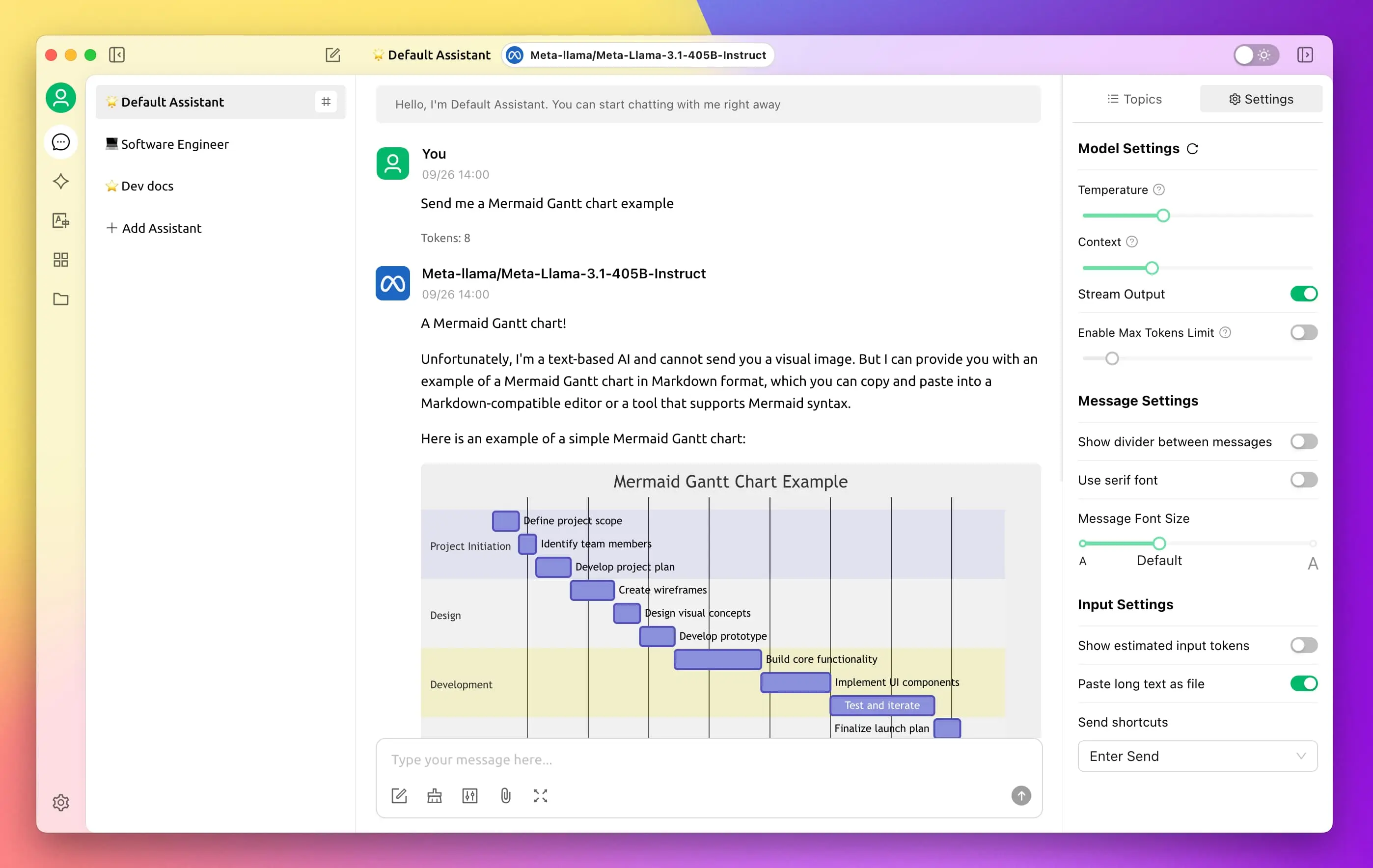
产品介绍 Chatbox AI 是一款 AI 客户端应用和智能助手,支持众多先进的 AI 模型和 API,可在 Windows、MacOS、Android、iOS、Linux 和网页版上使用。 产品图示 产品下载 https://chatboxai.app/zh
效果截图 HTML代码 <!DOCTYPE html> <html lang="zh-CN"> <head> <meta charset="UTF-8"> <title>时间进度侧边栏</title> <style> :root { --sidebar-bg: #f5f7fa; --text-primary: #2c3e50; --progress-bg: #e0e0e0; --progress-fill: #3498db; } .j-date { width: 280px; padding: 20px; background: var(--sidebar-bg); border-radius: 12px; box-shadow: 0 2px 15px rgba(0,0,0,0.1); font-family: 'Segoe UI', system-ui; } .progress-item { margin: 18px 0; } .progress-title { font-weight: 600; color: var(--text-primary); margin-bottom: 6px; } .progress-text { font-size: 0.9em; color: #666; margin-bottom: 8px; } .progress-bar { height: 8px; background: var(--progress-bg); border-radius: 4px; overflow: hidden; } .progress-fill { height: 100%; background: var(--progress-fill); border-radius: 4px; transition: width 0.5s ease; } .progress-percent { float: right; font-size: 0.85em; color: #7f8c8d; } /* 新增底部时间样式 */ .time-footer { margin-top: 25px; padding-top: 15px; border-top: 1px solid #eee; text-align: center; font-size: 0.95em; } #current-time { color: var(--text-primary); font-weight: 500; } #current-time span { color: #e74c3c; letter-spacing: 0.5px; } </style> </head> <body> <!-- 原有进度条模块 --> <div class="progress-item"> <div class="progress-title">本周进度</div> <div class="progress-text" id="week-text"></div> <div class="progress-bar"> <div class="progress-fill" id="week-progress"></div> </div> <span class="progress-percent" id="week-percent"></span> </div> <div class="progress-item"> <div class="progress-title">本月进度</div> <div class="progress-text" id="month-text"></div> <div class="progress-bar"> <div class="progress-fill" id="month-progress"></div> </div> <span class="progress-percent" id="month-percent"></span> </div> <div class="progress-item"> <div class="progress-title">本年进度</div> <div class="progress-text" id="year-text"></div> <div class="progress-bar"> <div class="progress-fill" id="year-progress"></div> </div> <span class="progress-percent" id="year-percent"></span> </div> <div class="progress-item"> <div class="progress-title">今日进度</div> <div class="progress-text" id="day-text"></div> <div class="progress-bar"> <div class="progress-fill" id="day-progress"></div> </div> <span class="progress-percent" id="day-percent"></span> </div> <!-- 新增底部时间模块 --> <div class="time-footer"> <div id="current-time"></div> </div> <script> // 时间格式化函数 function formatTime(date) { return date.toLocaleString('zh-CN', { year: 'numeric', month: '2-digit', day: '2-digit', hour12: false, hour: '2-digit', minute: '2-digit', second: '2-digit' }).replace(/\//g, '月').replace('日', '号').replace(' ', ' '); } // 修正后的周进度计算 function calculateWeekProgress(now) { const tempDate = new Date(now); const day = tempDate.getDay(); const diffToMonday = day === 0 ? 6 : day - 1; const monday = new Date(tempDate); monday.setDate(tempDate.getDate() - diffToMonday); monday.setHours(0, 0, 0, 0); const nextMonday = new Date(monday); nextMonday.setDate(monday.getDate() + 7); return (now - monday) / (nextMonday - monday); } function updateProgress() { const now = new Date(); // 更新时间显示 document.getElementById('current-time').innerHTML = `当前时间:<span>${formatTime(now)}</span>`; // 进度计算 const weekProgress = calculateWeekProgress(now); const monthDays = new Date(now.getFullYear(), now.getMonth() + 1, 0).getDate(); const monthProgress = (now.getDate() - 1 + now.getHours() / 24) / monthDays; const yearStart = new Date(now.getFullYear(), 0, 1); const yearEnd = new Date(now.getFullYear() + 1, 0, 1); const yearProgress = (now - yearStart) / (yearEnd - yearStart); const dayProgress = (now.getHours() * 3600 + now.getMinutes() * 60 + now.getSeconds()) / 86400; // 更新进度条 updateElement('week', weekProgress, Math.floor(weekProgress * 7), 7 - Math.floor(weekProgress * 7)); updateElement('month', monthProgress, now.getDate(), monthDays - now.getDate()); updateElement('year', yearProgress, Math.ceil(yearProgress * 365), 365 - Math.ceil(yearProgress * 365)); updateElement('day', dayProgress, now.getHours(), 24 - now.getHours()); } function updateElement(type, progress, passed, remaining) { document.getElementById(`${type}-text`).textContent = `已过去 ${passed} ${type === 'day' ? '小时' : '天'},剩余 ${remaining} ${type === 'day' ? '小时' : '天'}`; document.getElementById(`${type}-progress`).style.width = `${Math.min(100, (progress * 100).toFixed(2))}%`; document.getElementById(`${type}-percent`).textContent = `${(progress * 100).toFixed(1)}%`; } // 每秒更新 setInterval(updateProgress, 1000); updateProgress(); </script> </body> </html>
修复教程 1 主题需要修改的文件 你的网站目录/content/templates/simply/module.php 2 找到注释 侧边栏:最新微语 如下图示 将 <img src="<?= $avatar ?>" alt="<?= $author ?>"> 修改为 <img src="<?= BLOG_URL,$avatar ?>" alt="<?= $author ?>"> 保存,前往你网站的文章页面刷新,查看微语模块,头像就显示出来啦~
产品介绍 Emurasoft文本编辑器是一款功能强大且非常好用的文本编辑器!它启动速度快,可以完全代替Windows自带的记事本,足以胜任日常的文本编辑工作。良好地支持Unicode和中文字符,还支持20多种编程语言的语法突出显示。并且支持的语法种类可以不断的扩充。具有选择文本列块的功能(按ALT 键拖动鼠标)。此专业版,增强了程序的编辑功能,使其更适合编程人员对个别程序代码进行编辑修改。允许无限撤消、重做。支持多种编程语言的高亮显示(可作为简易的 IDE 使用)。 产品图示 产品下载 123网盘 提取码:2025
产品介绍 CherryStudio目前支持市面上绝大多数服务商的集成,并且支持多服务商的模型统一调度。 产品图示 产品下载 cherry-ai 官网下载
1. 报错代码 docker: Error response from daemon: Get “https://registry-1.docker.io/v2/”: dial tcp 128.242.250.155:443: i/o timeout. See ‘docker run --help’. 2. 错误原因 这个问题的主要原因是镜像源的问题,有很多镜像源已经不可以用了,所以拉取不了镜像安装,所以我们得配置一些可以用的镜像源。 3. 解决方案 打开/etc/docker/daemon.json文件 sudo vi /etc/docker/daemon.json 复制下方内容粘贴到daemon.json中 完全覆盖daemon.json之前存在的内容 { "registry-mirrors": ["https://docker.registry.cyou", "https://docker-cf.registry.cyou", "https://dockercf.jsdelivr.fyi", "https://docker.jsdelivr.fyi", "https://dockertest.jsdelivr.fyi", "https://mirror.aliyuncs.com", "https://dockerproxy.com", "https://mirror.baidubce.com", "https://docker.m.daocloud.io", "https://docker.nju.edu.cn", "https://docker.mirrors.sjtug.sjtu.edu.cn", "https://docker.mirrors.ustc.edu.cn", "https://mirror.iscas.ac.cn", "https://docker.rainbond.cc"] } 刷新Ddocker配置 systemctl daemon-reload 重启docker服务 systemctl restart docker 尝试拉取镜像,耐心等一会